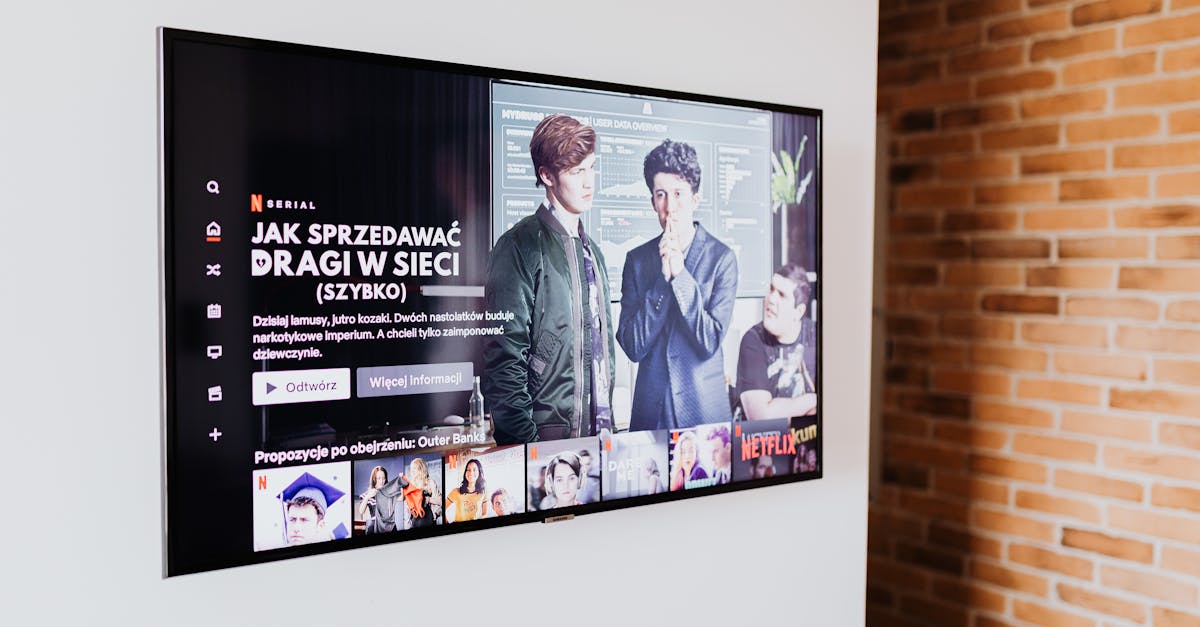
You bought a smart TV for the seamless streaming, the integrated apps, the promise of a central entertainment hub. Instead, you’re wrestling with slow menus, buffering video, privacy concerns, and a remote control that seems to have a mind of its own. In my experience, the initial excitement of a smart TV quickly gives way to a nagging frustration, especially when the ‘smart’ features feel anything but.
I’ve seen countless friends and family members, and frankly, experienced myself, the disappointment when a brand-new smart TV doesn’t live up to its marketing hype. We expect plug-and-play simplicity, but often get a labyrinth of settings, ads, and performance issues. The mistake I see most often is assuming that ‘smart’ means ‘effortless.’ What changed everything for me was recognizing that a smart TV, much like any other piece of connected tech, requires a bit of intentional setup and ongoing management to truly shine. It’s not just about the hardware; it’s about understanding the hidden complexities and taking control of your entertainment experience.
Key Takeaways
- Many smart TV frustrations stem from hidden settings, network issues, or bloatware, not inherent flaws.
- Taking control of app permissions and privacy settings is crucial to prevent data leakage and unwanted ads.
- Optimizing your home network, especially Wi-Fi, dramatically improves streaming and responsiveness.
- Understanding when to use an external streaming device can bypass many built-in smart TV limitations.
1. You Haven’t Tuned Your Wi-Fi for Streaming Demands
The biggest culprit behind buffering and slow smart TV performance is often your home Wi-Fi network. Manufacturers assume you have a perfect, high-speed connection, but the reality for most homes is far from it. My smart TV experience was a constant battle with lag until I realized my Wi-Fi was the bottleneck, not the TV itself.
The specific numbers matter here. For 4K streaming, services recommend a minimum of 25 Mbps per stream. If you have multiple devices connected, especially other streamers or online gamers, that bandwidth gets split. Your TV might be getting only a fraction of what it needs. A real comparison would be moving your router closer, or investing in a mesh Wi-Fi system if your TV is far from the main access point. What changed everything for me was running an Ethernet cable directly to the TV for critical streaming. This eliminated Wi-Fi interference and instantly boosted speeds. If a wired connection isn’t feasible, consider a dedicated Wi-Fi extender or a powerline adapter to bring a more stable signal closer to your TV. Don’t just accept slow speeds; actively troubleshoot your network.
2. Bloatware and Background Processes Are Eating Your Performance
Just like smartphones, many smart TVs come preloaded with apps you’ll never use, plus background processes for analytics, updates, and even advertisements. This ‘bloatware’ consumes valuable RAM and processing power, making your TV feel sluggish and unresponsive. The moment I started actively managing these on my own TV, the difference was immediate.
Think about your phone: if it’s full of unused apps running in the background, it slows down. Your smart TV is no different. Manufacturers often partner with content providers to pre-install apps, giving them a persistent presence whether you want them or not. To fix this, dive into your TV’s settings. Look for ‘Apps,’ ‘Applications,’ or ‘Storage.’ Uninstall any apps you don’t use. For apps that can’t be uninstalled, you can often ‘Force Stop’ them or ‘Disable’ them, preventing them from running in the background. My personal rule is to keep only the absolute essentials. This frees up resources and makes navigating menus feel much snappier. This isn’t just about speed; it’s about reclaiming control over your device’s limited resources.
3. You Haven’t Adjusted Picture and Sound Settings to Your Space
Out of the box, smart TVs are often set to ‘Vivid’ picture modes or default sound settings designed to grab attention on a showroom floor, not for optimal viewing in your living room. This leads to harsh, unnatural colors and tinny or muffled audio that makes content less enjoyable. The difference a few tweaks can make is truly transformative.
In my experience, walking into a friend’s house and seeing their new TV with a blindingly bright, oversaturated picture is a common scenario. Start by changing your picture mode from ‘Vivid’ or ‘Dynamic’ to ‘Standard,’ ‘Cinema,’ or ‘Movie.’ These modes are designed to be more color-accurate and less fatiguing for your eyes. Then, adjust brightness, contrast, and sharpness based on your room’s lighting. For sound, disable any ‘enhancement’ features that create artificial surround sound. Instead, focus on clear dialogue and balanced audio. If your TV has an equalizer, a slight reduction in treble and a boost in mid-range can make a significant improvement. A concrete example: my old TV’s ‘Sports’ mode made everything look like a cartoon. Switching to ‘Cinema’ mode for movies, even standard definition ones, made a world of difference in realism and comfort. These adjustments aren’t just cosmetic; they profoundly impact your viewing enjoyment.
4. Default Privacy Settings Are Exposing Your Data
Many smart TVs collect extensive data on your viewing habits, app usage, and even voice commands, often for targeted advertising. This can not only feel intrusive but also contribute to background processes that slow down your TV. Acknowledging this reality and acting on it changed my relationship with my smart TV.
The idea that your TV is watching you might sound like something out of a spy movie, but it’s a very real aspect of the smart TV ecosystem. Manufacturers profit from this data. To regain privacy, dig into your TV’s privacy settings, advertising settings, and data collection options. Look for settings like ‘ACR’ (Automatic Content Recognition), ‘Interest-Based Ads,’ or ‘Voice Data Collection.’ Disable as many of these as possible. You might find them buried under menus like ‘Support,’ ‘About,’ or ‘General.’ While you can’t eliminate all data collection (especially if you’re signed into streaming apps), minimizing it reduces the amount of background processing your TV is doing and protects your personal information. This step is about taking agency over your digital footprint, even on your entertainment devices.
5. You’re Using the Built-In Apps Instead of a Dedicated Streamer
While convenient, the built-in apps on your smart TV are often slower, receive fewer updates, and have a clunkier interface compared to dedicated streaming devices like a Roku, Apple TV, or Fire Stick. I found myself repeatedly frustrated by the lag until I made the switch to an external box.
Think of your smart TV’s processor as a general-purpose chip, designed to handle many tasks adequately, but none exceptionally. Dedicated streaming devices, on the other hand, have processors optimized solely for streaming content. This translates to faster app loading, smoother navigation, and quicker buffering. My experience with a new TV was that its Netflix app would constantly buffer, but when I switched to my old streaming stick, the same show played perfectly. The lesson? If your smart TV feels sluggish, don’t just upgrade the TV; consider upgrading your streaming experience with a dedicated device. This provides a more consistent, responsive, and often more feature-rich streaming environment, breathing new life into your viewing habits.
6. Your Software Isn’t Up to Date (Or You’re Afraid to Update It)
Manufacturers regularly release software updates to improve performance, fix bugs, and patch security vulnerabilities. Neglecting these updates can leave your TV slow, prone to glitches, and even insecure. However, sometimes users, fearing a botched update, avoid them entirely.
Updates aren’t always perfect, but ignoring them often leads to more problems than it solves. What changed for me was realizing that major bugs often get fixed quickly in subsequent updates. Check your TV’s settings menu for an ‘About,’ ‘Support,’ or ‘System’ section, and look for ‘Software Update’ or ‘Check for Updates.’ Enable automatic updates if you’re comfortable, or set a reminder to manually check every few months. A concrete example: an update once fixed a persistent audio sync issue that had been driving me crazy for weeks. Staying current not only keeps your TV running smoothly but also ensures you have the latest features and security protections. Think of it as preventative maintenance for your digital entertainment hub.
7. You Haven’t Calibrated Your Remote Control (Or Its Settings)
Modern smart TV remotes often have more features than you realize, from motion controls to voice commands and even specific app shortcuts. If these aren’t configured correctly, they can lead to frustrating misclicks, accidental inputs, or simply an inefficient way to navigate. What actually makes the difference is taking the time to truly understand and set up your remote.
I’ve seen people struggle with remotes for years, not realizing they could customize buttons or disable motion controls they never use. Dive into your TV’s remote control settings. You might find options to adjust pointer speed, disable voice assistant wake words if you prefer not to use them, or even reprogram certain shortcut buttons. Some remotes also connect via Bluetooth, offering more reliable control than infrared, but this needs to be set up. For instance, if your remote has a pointer that constantly drifts, resetting its calibration (often by pointing it at the screen and holding a specific button) can fix it instantly. This seemingly small detail can profoundly impact your daily interaction with your TV, turning a clunky experience into a fluid one. Don’t let your remote control dictate your experience; make it work for you.
Frequently Asked Questions
What makes a smart TV ‘smart’ but also frustrating?
Smart TVs are ‘smart’ because they connect to the internet to offer apps, streaming services, and interactive features. They become frustrating when these features are poorly optimized, slow, laden with ads, or consume too many resources, leading to a clunky user experience that feels less intuitive than traditional TVs.
Should I always use an external streaming device with my smart TV?
Not always, but often. If your smart TV’s built-in apps are slow, frequently buffer, or lack features found on dedicated streaming devices (like faster processors, more frequent updates, or a wider app selection), an external device like a Roku, Apple TV, or Fire Stick will likely provide a smoother, more enjoyable streaming experience.
How can I improve my smart TV’s Wi-Fi connection?
To improve your smart TV’s Wi-Fi connection, try moving your router closer, ensuring there are no obstructions, or connecting via an Ethernet cable if possible. If these aren’t options, consider a Wi-Fi extender, mesh Wi-Fi system, or powerline adapter to strengthen the signal near your TV.
Can smart TVs spy on me or collect my data?
Yes, many smart TVs collect data on your viewing habits, app usage, and sometimes even voice commands. This data is often used for targeted advertising and analytics. You can limit this by going into your TV’s privacy and advertising settings and disabling features like Automatic Content Recognition (ACR) or interest-based ads.
How often should I update my smart TV’s software?
It’s best to keep your smart TV’s software updated whenever new versions are released. These updates often include performance improvements, bug fixes, and security patches. Check your TV’s ‘Settings’ or ‘Support’ menu periodically for available updates, or enable automatic updates if the option is available.
Conclusion
Your smart TV should be a source of entertainment, not exasperation. The common frustrations with slow performance, buffering, and privacy intrusions are often fixable with a bit of informed action. By optimizing your Wi-Fi, managing bloatware, adjusting settings, and considering external streaming devices, you can transform your experience from frustrating to fantastic. Take control of your entertainment tech and make it truly work for you. The next step is to dive into your TV’s settings menu and start making those crucial adjustments you just learned about.